

Meter Accuracy - what to check if you're worried about your usage
At Octopus, we’re a big fan of meters - especially smart ones. We know meters can seem like a bit of a mystery, especially when you’re worried you’re being overcharged.
Most "meter mysteries" are actually solved in minutes by spotting a hidden energy-guzzler or a simple misread. In this blog, we’ll run through a few nifty checks you can do at home to get some answers quickly.
New to Meter Accuracy? Start Here
When your bill is higher than expected, it's natural to wonder if your meter is working correctly. However, energy meters are remarkably sturdy bits of kit, designed to handle everything from the British weather to the hum of your household gadgets. Nothing in life is ever entirely certain, but the reality is any meter - smart or otherwise - is very unlikely to record usage incorrectly.
We’ve tested thousands of meters at customers' request over the years, and the number that were recording usage incorrectly was a tiny fraction compared to the millions of smart meters we’ve installed.
The only exception might be if it’s very old and past its certification date - we have an obligation to reach out to customers whose meters need replacing.
Hunt the ‘Hidden Guzzlers’
Some appliances are hungrier than others, so it's worth being aware of steps you can take to reduce your consumption and avoid simple energy mistakes.
The Big Hitters
- Washing machines and tumble dryers are often the most energy-thirsty. Choosing to wash your clothes at a lower temperature can help reduce your energy usage.
- Electric showers can be expensive to run, with a 9kW model costing 42 pence every 10 minutes according to the Centre for Sustainable Energy.
- About 4% of your energy bill goes towards powering kitchen appliances. Ovens, air-fryers and microwaves are often the hardest-working tools in the home - check how you can save money in the kitchen.
- Hot water tanks (immersion) can work harder if left on ‘constant mode’. Setting timers really matters!
- Hot tubs can cost between £2 and £8 per use, so if you’ve had one installed recently and have taken a few dips a week, this may explain a jump in your bills.
New or faulty appliances may also cause bills to seemingly jump with no cause.
Key culprits are:
- Portable plug-in electric heaters
- Faulty fridges/freezers (i.e. the compressor never switches off)
- Hot tubs and home saunas
- Heated fish tanks or reptile vivariums
- Electric ovens/air fryers
- Tumble dryers
If you have a smart meter, you can check your half-hourly data in your online account or the Octopus Energy app. Can you see a new, high-energy draw (e.g. 500 W all night) or a new peak period that wasn’t there before? That will likely be the culprit.
Check for 'Vampire' Devices
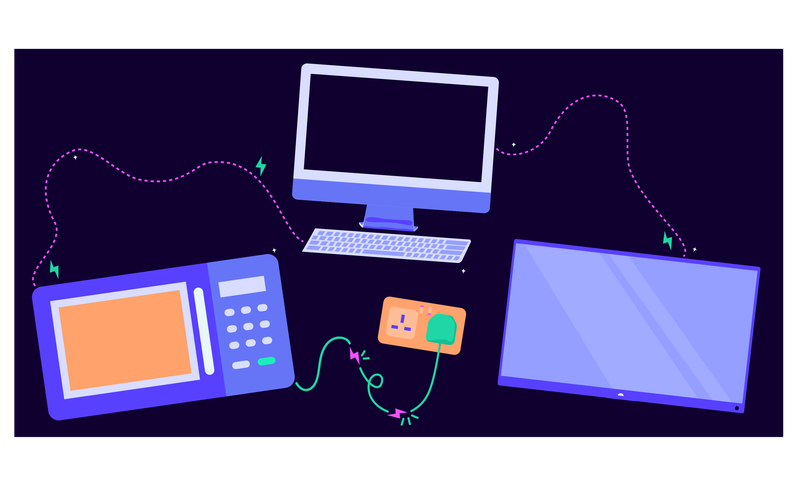
It's important to switch off appliances that are left on standby.
Even though devices like game consoles, TVs, and laptops use relatively little power individually, consumer electronics still make up about 6% of your total energy bill.
Other classic standby-slurpers are smart speakers, wifi routers, and microwaves. Using smart plugs or timer plugs can easily switch off multiple non-essential devices.

The Seasonal 'Jump'

When the temperature drops, bills can often go up.
Colder weather usually means more hot baths and showers, heavier use of the tumble dryer, and lights switched on for longer. You might also be running a dehumidifier or a plug-in electric heater.
Individually, these appliances may not seem significant, but over the coldest months, the extra usage can quickly add up.
If you’ve hosted guests more often than usual, that can also increase your energy use. And during particularly cold spells, such as a freezing January, your heating system will likely run more frequently and for longer periods to maintain its target temperature.
An interesting exercise is to compare this year's usage (in kWh) to the same period last year - is it similar?
Mind your decimals
The best way to stay on top of things is to keep a regular eye on your usage, and if you don’t have a smart meter, submit regular readings. You can track every unit you use in the Octopus Energy app or your online account.
It’s also important to check your bills, as this can help you spot any pesky spikes.

Search for incorrect readings
It can be easy to submit an incorrect meter reading - especially if your meter is hard to access or has decimal points.
If you have submitted an incorrect reading that is much higher than your actual usage, you may receive a shock bill. You can check your meter readings in the Octopus Energy app or online account.
You can check our meter reading guide if you are unsure of how to read your meter.

Check your opening reading
If you have just moved house or opened your account, your opening reading is extremely important. If this is wrong, you will be billed for the difference between the estimated and actual usage, which may result in a shock bill.
If these don’t match up, or you are concerned you have an incorrect opening reading, please get in touch and have a few photos of your meter and meter reading ready, clearly showing the time they were taken.

Estimated vs accurate readings
We prefer to create your statements based on your actual meter readings because they’re more accurate.
If we don’t receive actual readings from you for 3 months, we’ll bill you based on an estimated meter reading.
If you’ve just submitted a meter reading for the first time in a while and got a high charge on your recent bill, you might have been using more energy than we’d been predicting on previous estimated bills. If we’ve been estimating your bills based on low energy consumption for a while, you may get a higher charge when you eventually send us actual meter readings and bring your account up to date.
We’ve got a handy video and written guide with quick, easy ways to save energy (and cash, and carbon!) around your home.
Don’t have your hands on a money-saving smart meter yet? You can register your interest below for one, and we’ll let you know when we’re installing in your area:
At Home Tests
If you still have concerns about your meter's accuracy, you can perform a few simple at-home meter checks.
Make sure you get time-stamped photos of these tests, as we would ask to see these as a standard part of the diagnosis process.
If you feel you may struggle to carry out these tests, please get in touch, and we’ll lend you a hand.
We also offer priority services to customers with varying vulnerabilities or who need extra help. To join our Priority Services Register, just update your preferences via your online account.
Creep Test (no relation to Radiohead)
The Creep Test determines whether a meter registers energy when no appliances are in use.
How to do a creep test for an electricity meter:
If you’re happy turning your mains power off at the fuse:
- Turn the mains fuse off.
- Take a time-stamped photo of your reading.
- Wait 15 minutes.
- Switch the mains back on and take another photo of your meter reading.
If the meter reading stays the same (no consumption was recorded), then your meter is very likely operating as intended.
If the meter reading increases, something odd might be happening. Get in touch with us (with your time-stamped photos handy!) so we can help.
If you’re not able to turn off your mains power:
Do the test when you’re not using much energy, e.g., don't do it when your tumble dryer is running.
- Take a time-stamped photo of your reading, or if you have a smart meter, check your live usage reading in the Octopus Energy app.
- Wait 15 minutes.
- Take another reading or monitor any changes to your live usage reading.
Your meter reading will change, but if it’s gone up by more than 5 kWh, we suggest getting in touch with us so we can help.
How to do a creep test for a gas meter:
A creep test (turning off all appliances/pilots) acts as a safety check.
Movement here indicates a leak, requiring immediate escalation to the National Gas Emergency Service immediately on 0800 111 999 or via textphone (minicom) on 0800 371 787. BSL users can use Convo (SignLive) for free contact.
Load Test
If the Creep Test showed no issues, but you would like to do some additional detective work to confirm your electricity meter is clocking correctly, you can try a Load Test. This can also help pinpoint if you have any faulty appliances.
We recommend this test only for electricity meters, as it's less reliable for gas meters. Gas meters can vary in type, making it hard to monitor actual increases.
How to do a load test for an electricity meter:
- Take a time-stamped photo of your reading, or if you have a smart meter, check your live usage reading in your Octopus Energy app.
- Turn off all non-essential appliances (e.g. not your fridge/freezer!).
- Turn on appliances one by one, leaving a few minutes between each. Ideally, check each appliance's power rating to assess whether the meter is accurately recording usage.
- Take note of the changes in your readings or monitor your live usage as you go.
If the meter registers significantly more than you expect, either the appliance is faulty, or the meter is running fast. Test two more appliances, and if all appliances are recording more usage than they should, it’s most likely the meter.
If you’ve run these checks and the numbers still don't add up, get in touch with your time-stamped photos and results.
We want to help you get to the bottom of your 'meter mystery' as quickly and simply as possible.
In most cases, a little home detective work can effectively pinpoint energy-guzzling activity without the need for a formal test.
But if you’ve carried out all the recommended checks and the numbers still aren't adding up, don't worry, just get in touch, and we can take it from there.
More information on how to save energy


We offer priority services to customers with varying vulnerabilities or who need extra help.
To join our Priority Services Register, just update your preferences via your online account.
Published on 26th September 2025 by:

Hey I'm Constantine, welcome to Octopus Energy!
×Close window