

What to do if your heat pump turns off
If your heat pump has stopped working, don’t worry! Most of the time it’s something simple you can check before calling for help.
Step-by-step guide:
- Check the display or app
Look at your Octopus app or your heat pump’s screen. It may show a fault - this can help identify the issue.
- Check the power supply
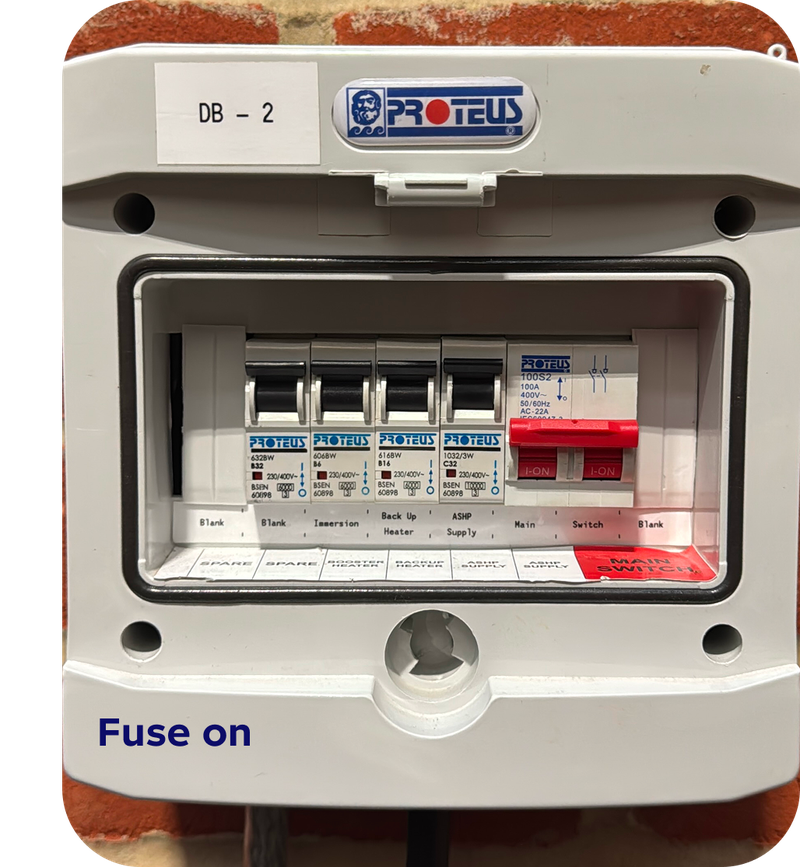
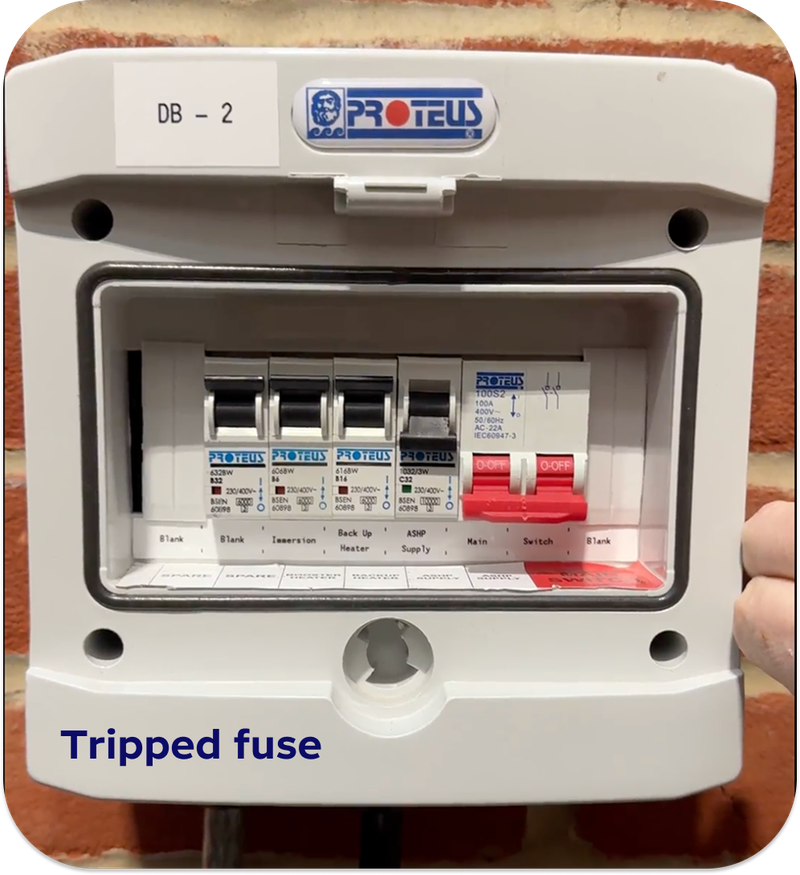
Sometimes the heat pump turns off because of a tripped fuse, a switched-off breaker, or a power cut. Make sure the switch for your heat pump is on and the fuse hasn’t tripped.
- Check the water pressure
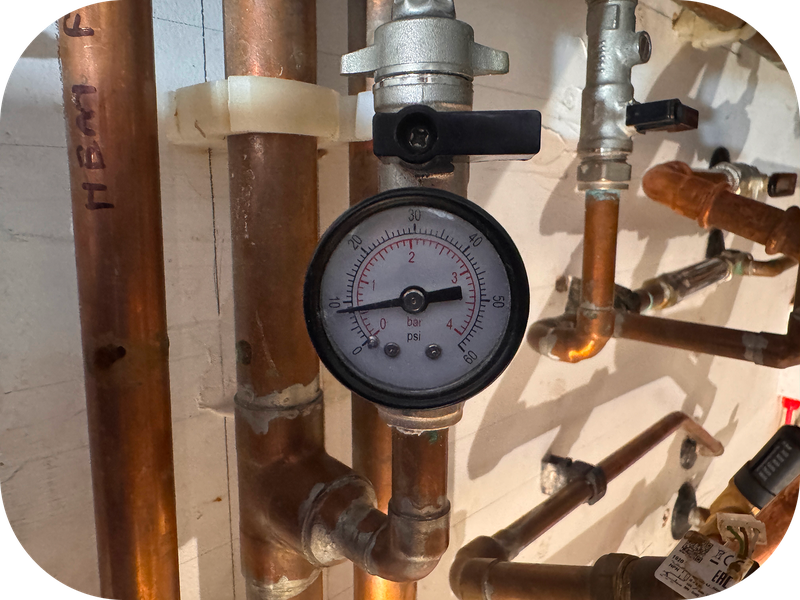
Low system pressure can cause the heat pump to shut down. Look at the cylinder gauge if it’s below around 1 bar, you might need to top it up by following this step by step guide.

- Check your radiators
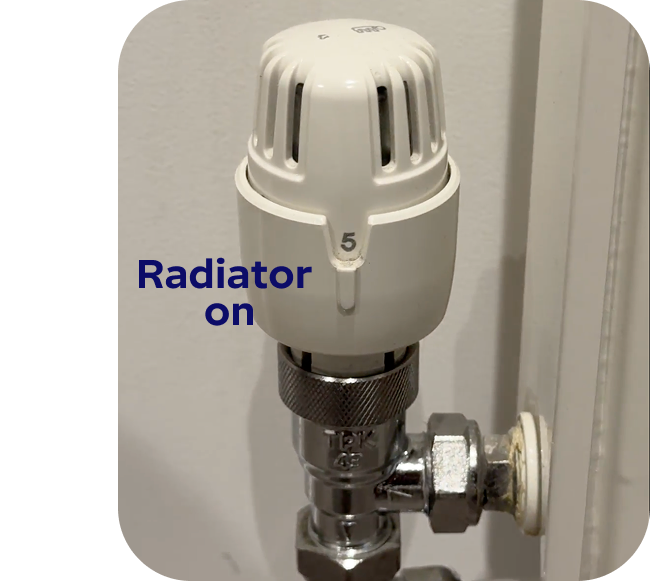
If your radiators aren’t getting hot, check the valve on the bottom right of each radiator. Make sure it’s turned all the way up to 5.
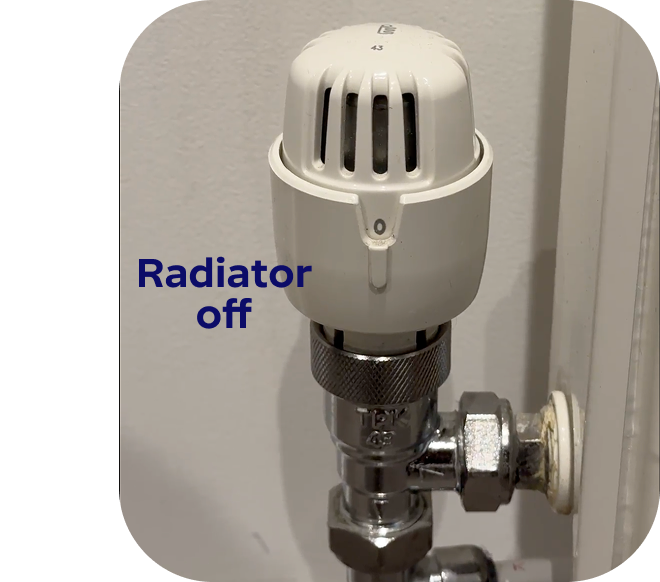
Top tip: Are some of your radiators not heating up properly? They might just need a little bleed! Follow our quick, step-by-step guide to get your radiators working efficiently again.
- Reset your heat pump
Some systems let you press a reset button. If your system has one, follow the instructions in your manual or app to safely reset it. - Call for help if needed
If it still won’t turn on, or if you see an error you don’t understand, submit a request, our aftercare team will review your submission and get back to you shortly.
Pro tips:
- Don’t try to force the heat pump on if something seems wrong.
- Keep an eye on the pressure and app alerts.
- Always check radiator valves before assuming the heat pump is at fault.
Still need help? Get in touch.
×
Submit a support request: here
Call us: 0808 196 6842
Our aftercare phone lines are open 8am – 8pm Monday to Saturday, 10am - 6pm Sunday.
There are other ways to get in touch too.
Hey I'm Constantine, welcome to Octopus Energy!
×Close window